Client mapping
Map a client group in one clear picture
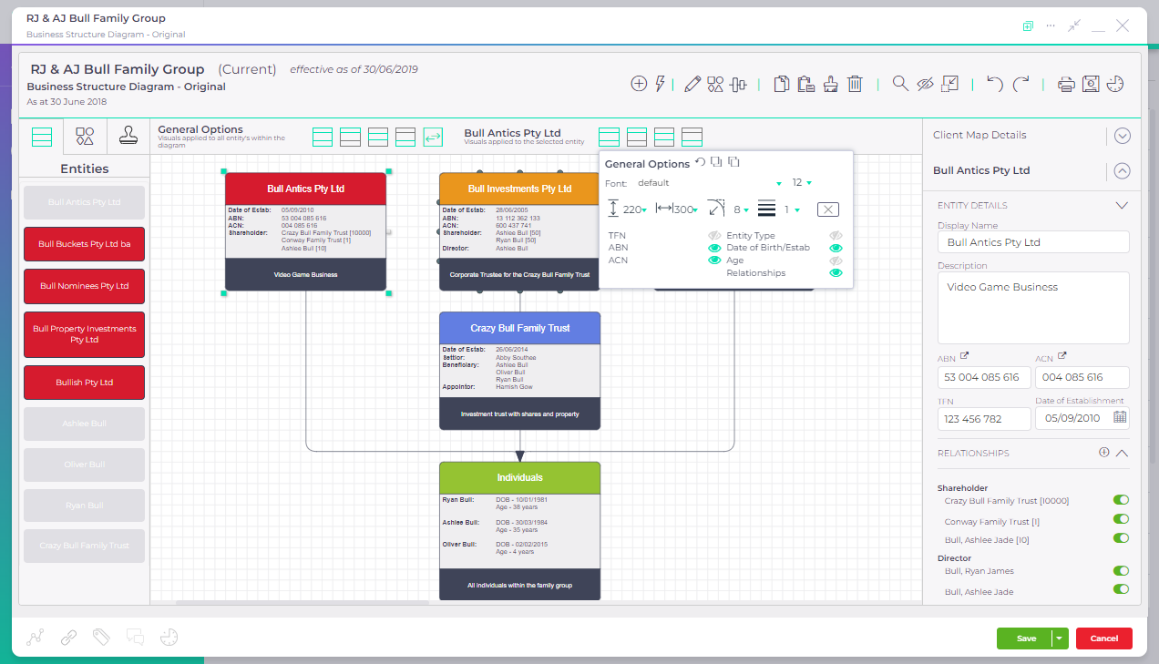
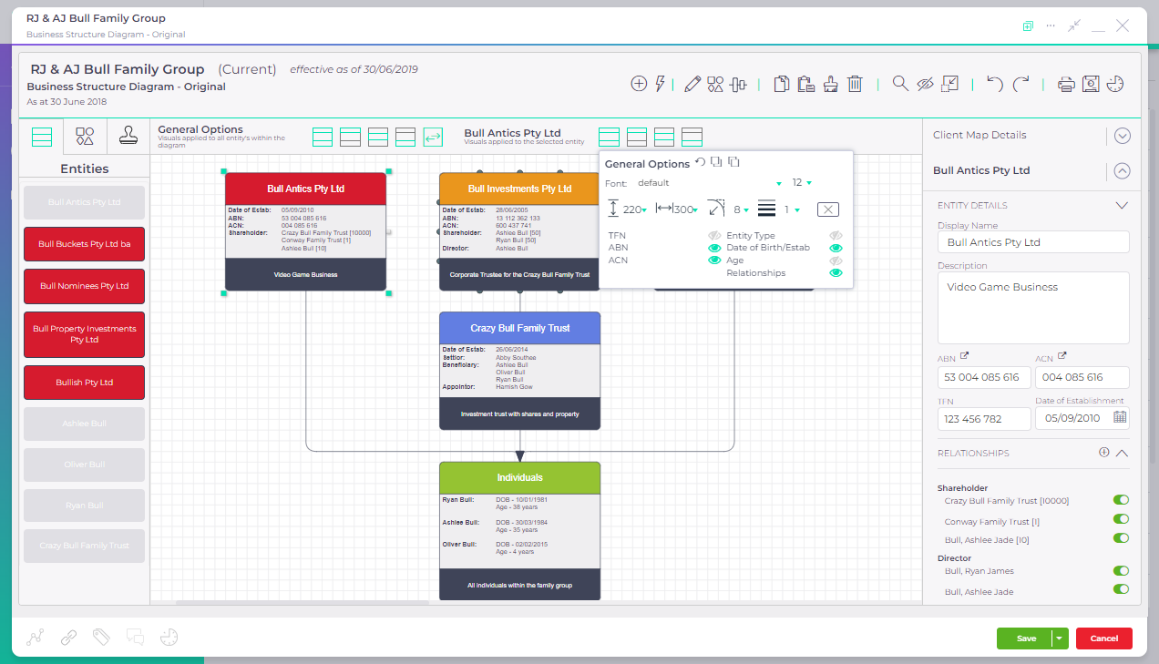
Show how people, companies and trusts connect. Compare the current diagram with a proposed structure before the next client meeting.
Included in the base subscription
What goes wrong today
The structure lives in someone’s head
Knowing one company is not the same as understanding the group. A new team member needs to see how the people, companies and trusts fit together.
The diagram is separate from the client record
When details change, a standalone diagram is another document to remember to update.
A proposal looks like the current arrangement
Exploring an idea with a client should not mean changing the underlying client information before a decision is made.
Explore a client group
Explore the group and test a proposed structure
Select an entity to trace its connections. Switch to Proposed to add a sample services company without changing the current map.
 Client mappingInteractive preview · sample data
Tap an entity to see its details below the map. Swipe the diagram to explore.
Select an entity to highlight its connections. On smaller screens, swipe across the map.
Interactive demonstration with sample data, based on the AccountKit interface.
Who it’s for
For the conversations that need the whole picture
Accounting and advisory practices looking after clients with multiple people, companies and trusts. Use a visual diagram to support internal handovers and client discussions.
How often it comes round
When onboarding a client, reviewing a group or talking through a possible change.
- Onboarding
- Bring the client group into one shared picture.
- Team handovers
- Help the next person understand the relationships.
- Client meetings
- Explore a proposed diagram alongside the current structure.
Connected client information
A diagram that stays close to the client record
AccountKit syncs client details both ways with Xero Practice Manager. Proposed diagrams stay separate from the current client record.
The map above uses fictional entities. It is not a live AccountKit session or business-structure advice.
Related tools
Tools that sit beside this one
- Compliance
Inter-entity loan tool
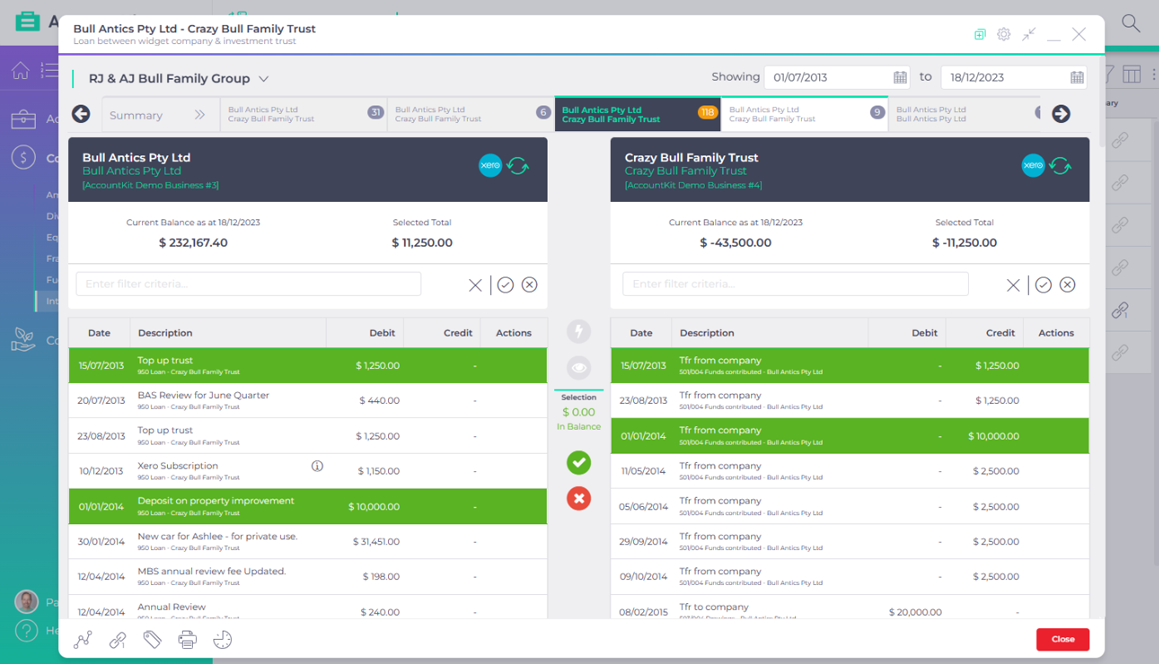
Entries matched between entities across the group, with the unreconciled balance journalled.Watch the ledgers match - Compliance
Division 7A tool
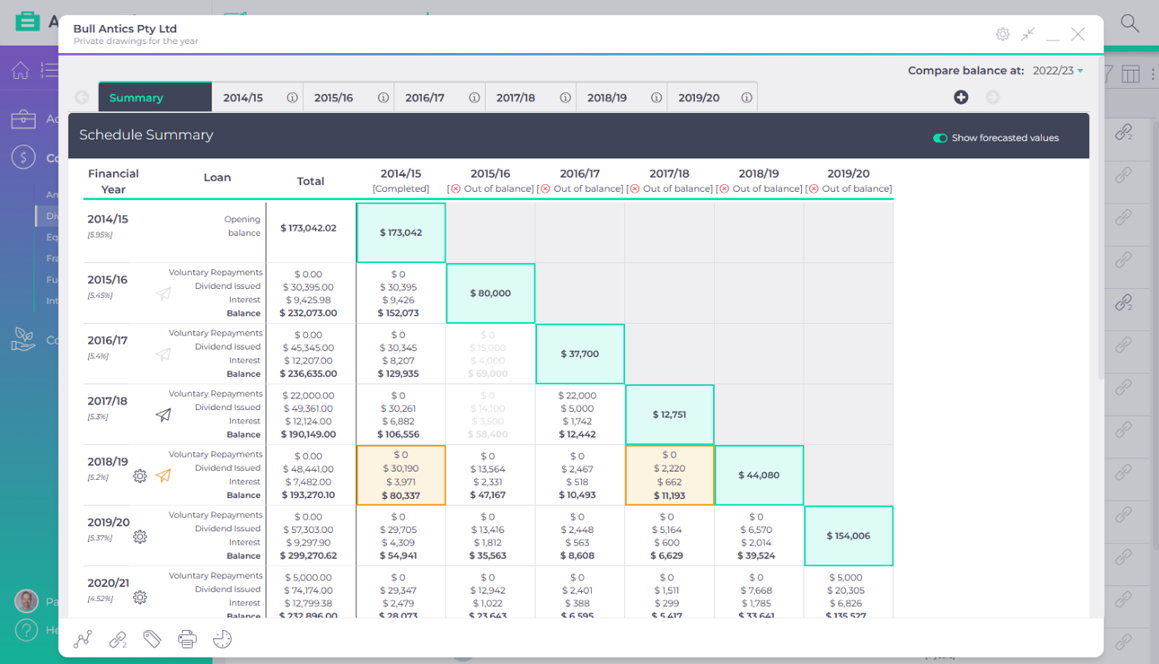
Interest and minimum yearly repayments calculated across every loan, with a forecast for dividend planning.Scrub the loan schedule
The heart of your firm
Put your next client conversation on the map
Start a free 14-day trial, or book a demo to see Client Mapping with the AccountKit team.